Microsoft Dynamics CRM is one of the successful platforms that takes the company modules through Microsoft to empower them with managing and developing customer relationships. It is a complete system of applications in Microsoft Dynamics 365 that unites such significant aspects as sales, marketing, and customer service to support the customer journey. By allowing companies to merge data and to automate operations, it allows organizations to build a stronger connection with their customers, provide the best experiences, and be efficient.
Key highlights
- A suite of customer relationship management applications
- A single system integrating the entire customer lifecycle
- Supports business relationship management between departments
- Redesigns sales, marketing, and customer service operations
- Emphasizes significant relationship-building
- Located all customer information in one place.
- Enhances customer experience via personalization
- Aids productivity across teams
- Boosts revenue growth with improved decision-making
- Reduces operational costs through automation
Features & Capabilities of Dynamics 365 CRM
Dynamics 365 CRM is packed with intelligent features that help teams work smarter, sell more effectively, and deliver better customer service. From managing accounts and tracking leads to automating workflows and predicting sales, the platform does it all. With built-in AI capabilities and seamless integrations, it empowers businesses with data-driven insights and tools to stay ahead in a competitive market.
Capabilities:
- Centralized customer database
- Sales tracking tools for pipeline visibility
- Workflow automation using Power Automate
- Customer segmentation for marketing
- AI capabilities using predictive analytics
- Lead and opportunity management
- Account and contact management
- Sales forecasting with real-time visibility
- Product catalog management
- Quotes and order management
- Custom-built workflows optimized to your process
- Relationship Assistant with intelligent alerts
- Process-driven user interface (UI)
- Mobile app access for anytime, anywhere usage
- Reports and dashboards for tracking performance
Dynamics 365 CRM Modules
Microsoft Dynamics CRM features several specialized modules, each of which caters to a particular area of business activities. These modules enable businesses to automate customer interactions, enhance sales, and provide enhanced service, all from one environment. Whether you’re interested in lead generation or field teams’ management, there is a module for you.
Core modules:
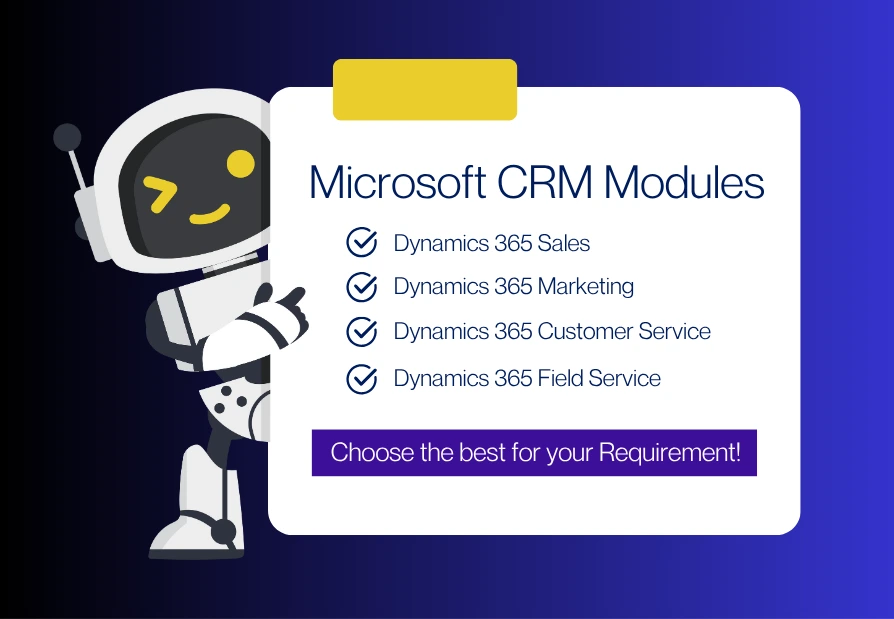
- Dynamics 365 Sales: Empowers sales teams to connect with customers, close deals sooner, and increase productivity with real-time information.
- Dynamics 365 Marketing: Unifies sales and marketing initiatives by automating campaigns, lead management, and delivering individualized experiences.
- Dynamics 365 Customer Service: Allows support teams to deliver smarter, quicker service with case management and omnichannel capabilities.
- Dynamics 365 Field Service: Coordinates field operations using intelligent scheduling, resource allocation, and remote collaboration.
Dynamics 365 Sales
Dynamics 365 Sales empowers sales teams to connect with customers, close deals sooner, and increase productivity with real-time information. It uses built-in AI to provide insights on sales performance and buyer intent, helping reps prioritize leads and shorten sales cycles. The module also enables mobile access, task automation, and team collaboration through Microsoft Teams integration.
Dynamics 365 Marketing
Dynamics 365 Marketing unifies sales and marketing initiatives by automating campaigns, lead management, and delivering individualized experiences. It brings all customer data into one view, helping businesses create highly targeted messaging and journey-based marketing. Real-time analytics and segmentation tools make it easier to identify high-value customers and increase engagement.
Dynamics 365 Customer Service
Dynamics 365 Customer Service allows support teams to deliver smarter, quicker service with case management and omnichannel capabilities. Built-in AI helps resolve queries faster by suggesting knowledge articles and next steps. Customers can connect through multiple channels like chat, email, or social media, while agents get a unified view of customer history.
Dynamics 365 Field Service
Dynamics 365 Field Service coordinates field operations using intelligent scheduling, resource allocation, and remote collaboration. The module enhances technician productivity with mobile access, IoT-triggered alerts, and AI-based work order assignment. It also supports predictive maintenance, enabling issues to be fixed before failures occur, improving service reliability and customer satisfaction.
Deployment of the Dynamics 365 CRM
One of the largest strengths of Dynamics 365 CRM is the flexible deployment. Companies can decide on their terms on which mode they want to deploy the system, depending on their infrastructure, security requirements, and compliance strategies. Whether you want a complete cloud-based experience, an on-premise implementation, or a mix of both, Dynamics CRM accommodates your needs.
Options for deployments are:
- Cloud (CRM Online/D365): Entirely hosted on Microsoft Azure with regular updates and simple scalability.
- On-Premise CRM Installation: Installed in your own IT environment, with maximum control of data.
- Hybrid Installation: Brings cloud and on-premise advantages to organizations with combined requirements.
- Partner-Based Installation: Installation and implementation by authorized Microsoft Partners who customize the solution for your business.
Cost and Licensing of Dynamics 365 CRM
Dynamics 365 CRM has a scalable subscription-based pricing structure, and it can be cost-effective for companies of any size. The cost is determined by a variety of factors, such as the number of users, the modules chosen, and the custom requirements. Licensing models are offered to suit every job, ranging from team members to sales professionals on a full scale.
Cost Options:
Pricing depends upon module selection, integration level complexity, and needs for customization.
- Subscription-based software
- Monthly charge per user, based on the license
- Setup and customization one-time cost
Licensing Options:
- Team Member: Limited privileges for fundamental tasks and to look at data.
- Sales Professional: Fundamental CRM features for sales functions.
- Sales Enterprise: Extended features and increased levels of customization flexibility.
- Relationship Sales: Integrates with LinkedIn Sales Navigator to have deeper insights into customers.
Dynamics 365 CRM Integration Capabilities
Microsoft Dynamics 365 CRM provides unparalleled integration support, making it a fully connected platform. Not only does it interact perfectly with other Microsoft products, but it also integrates with third-party tools, enabling enterprises to consolidate data, enhance collaboration, and automate their processes. All your customer data, communications, and workflow remain connected across the tools you already have.
Integration with Microsoft Products:
- Microsoft 365 Apps: Outlook, Word, Excel, OneNote, SharePoint, and Teams integration to communicate and collaborate on documents.
- Microsoft Dynamics ERP Systems: Natively integrates with Dynamics 365 Finance & Operations and Dynamics 365 Business Central.
- Microsoft Power Platform: Natively integrates with Power BI (analytics), Power Apps (custom apps), Power Automate (workflow automation), and Power Virtual Agents (chatbots).
- Azure IoT: Interoperable with IoT Hub, IoT Central, Azure Sphere, IoT Edge, Digital Twins, and Machine Learning to facilitate smart business operations
- Mixed Reality:Â Enables immersive experiences across manufacturing and service industries
- Artificial Intelligence:Â Integrated AI for smart suggestions, predictive analysis, and automation.
Third-Party Integrations:
- LinkedIn Sales Navigator: To improve lead generation and relationship building.
- HubSpot Marketing Hub: Simplifies marketing campaigns and analysis.
- Mailchimp: Email marketing and campaign automation
- PandaDoc: Document automation and digital signatures
- Other Tools: Email, chatbots, social media, marketing automation, calendars, sales performance tools, and forecasting solutions
Benefits of Dynamics 365 CRM
Dynamics 365 CRM selection can greatly change the dynamics of a business. From increasing sales to enhancing the delivery of services, this CRM gives real-time insights and automation that enable teams to deliver greater value with less effort. Its ease of use and stable architecture make it a top choice for companies to scale effectively.
Some of the key benefits are:
- Creates strong customer relationships by personalizing engagement.
- Improves productivity through automating workflows and tasks
- Delivers compelling customer experiences everywhere
- Provides flexible deployment options – cloud, on-premise, or hybrid.
- Drives higher sales through improved lead management and forecasting.
- Provides real-time performance data to inform decision-making
- Optimizes processes and automates repetitive tasks
- Tracks customer interactions for improved understanding
- Connects securely across multiple platforms
- Accelerates growth and delivers a competitive advantage
- AI-driven insights for predictive analytics and recommendations
- Ensures consistent communication throughout the organization
- Adjusts automatically to the latest updates, particularly with cloud deployment
Why it excels:
- Easy and familiar user interface
- Complex toolset that integrates well with other Microsoft products
- Tools for automation and customization, built-in
- Architecture that adapts to evolving business needs
- Competitive and scalable pricing options
- Supported by Microsoft’s robust partner ecosystem
- Solid, constantly updated, and easy to use
- Highly customizable to suit one-of-a-kind business requirements
Dynamics 365 CRM vs. Competition
Microsoft Dynamics 365 CRM is poised against its biggest competitors with flexibility, extensive integration, and numerous modules that can cater to businesses of any size. Other CRMs might specialize in a certain function, but Dynamics offers an end-to-end solution that encompasses sales, marketing, and service, all under one roof.
Dynamics 365 CRM vs. Salesforce CRM
Dynamics 365 integrates further with Microsoft software and has a more variable price tag. Salesforce CRM boasts rich features but may be pricier and harder to customize for smaller companies.
Dynamics 365 CRM vs. HubSpot
HubSpot is easy to use and perfect for small teams, but Dynamics 365 is more scalable for larger businesses and offers more advanced customizations and integrations.
Dynamics 365 CRM vs. SAP
SAP possesses powerful tools at the enterprise level; however, it has a high learning curve. Dynamics 365 comes with a newer UI, quicker deployment, and more tools connected to it, like Outlook and Teams.
Dynamics 365 CRM and SugarCRM
SugarCRM is not natively supportable with Microsoft tools, but is flexible in its ability to be customized. Dynamics 365 can be integrated more seamlessly into companies that are already using Microsoft 365.
Experts Endorsements Received for Microsoft Dynamics CRM
Dynamics 365 CRM has consistently earned recognition from both industry leaders and real users:
- G2 Crowd’s Spring 2022 Report named Dynamics 365 CRM a Leader and High Performer in the mid-market CRM category, reflecting high satisfaction and strong market presence.
- Gartner’s Customer Choice Award acknowledged Dynamics 365 Sales for its powerful CRM and lead management capabilities.
These endorsements reinforce Dynamics 365 CRM’s position as a reliable, scalable, and user-approved solution for modern businesses.
Microsoft Partner Channel - The Best Way to Get a Microsoft Solution
Microsoft encourages businesses to purchase and implement their CRM solutions through its partner network, and for good reason. The Partner Channel is designed to deliver tailored services, hands-on support, and expert guidance throughout your CRM journey. Microsoft believes that working with certified partners ensures better deployment outcomes and long-term success.
Why Microsoft relies on its Partner Channel:
- Microsoft favors partners rather than direct sales for improved service scalability.
- Cloud Solution Providers (CSPs) provide customized solutions, support, and training.
- Partners assist companies in selecting, deploying, and streamlining the appropriate CRM solutions.
Microsoft’s partner-first strategy ensures businesses receive personalized service and expert-led implementation from the very beginning. These partners help navigate licensing, drive user adoption, and offer ongoing optimization – making them essential to unlocking the full potential of Microsoft Dynamics 365.
Services Business Experts MEA (BEMEA) Provides
As a top Microsoft partner, Business Experts MEA LLC is dedicated to providing years of experience, technical expertise, and an intimate familiarity with Dynamics 365 CRM. From deployment to tailoring, integration, and aftercare, we ensure that your CRM performs the way your company demands it to. Whether you’re just beginning with the CRM module or contemplating an enterprise-wide rollout, our staff provides a seamless, productive experience from day one.
What we provide:
- Expertise & Certification: Years of expertise and certified Microsoft experts
- Solution Selection & Customization: We map Dynamics CRM modules with your business framework.
- Implementation & Customization: From quick deployment to sophisticated integrations
- Ongoing Support: Ongoing support, training, and user adoption programs
- Integration Knowledge: We guarantee seamless interoperability with Microsoft 365 and third-party applications.
- User Adoption Assistance: Onboarding, change management, and learning resources to guarantee ROI