💡 Key Takeaways
Customer data becomes more valuable when it can support better decisions. Dynamics 365 CRM provides a structured way to manage leads, opportunities, customer interactions, and sales activities, but standard CRM reporting may not always provide the depth of analysis that growing businesses need. Power BI with Dynamics 365 CRM helps turn customer and sales data into interactive dashboards, combine CRM information with other business data, improve forecasting, and provide a clearer view of business performance. This is particularly relevant in 2026, as businesses increasingly rely on real-time information, AI-assisted analytics and flexible working.
What Is Power BI and How Does It Work with Dynamics 365 CRM?
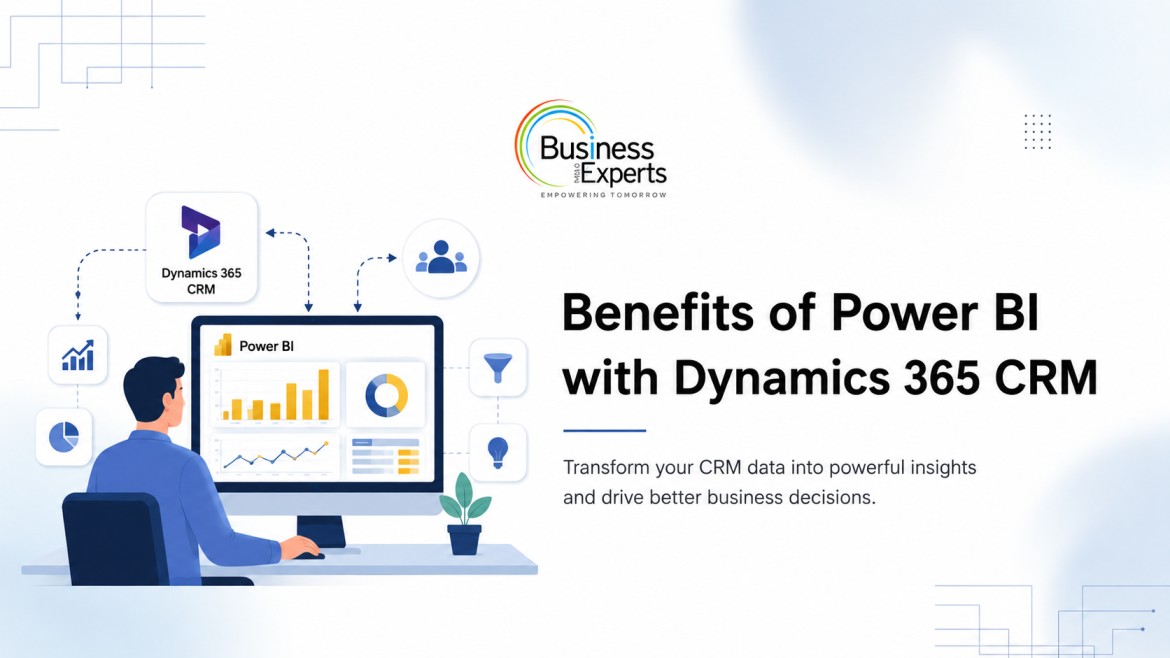
Power BI adds deeper analytics to Dynamics 365 CRM, helping businesses turn CRM data into interactive reports and dashboards. It can also integrate CRM data with information from other business systems to provide a broader view of performance.
What is Microsoft Power BI?
Microsoft Power BI is a business intelligence platform that helps organisations connect, analyse and visualise data. It enables teams to create interactive dashboards, track KPIs and identify trends.
What is Dynamics 365 CRM?
Dynamics 365 CRM includes Microsoft’s applications for managing customer relationships, sales and service activities. Dynamics 365 Sales helps teams manage leads, opportunities, accounts and customer interactions. BEMEA supports businesses with Microsoft Dynamics 365 implementation and optimisation.
How the integration works
Power BI connects with Dynamics 365 through Microsoft Dataverse and supported connectors. CRM data can then be modelled in Power BI and combined with data from ERP systems, Excel, Azure, and other sources. Data refresh depends on the selected source and configuration.
Why Native Dynamics 365 Reporting Isn’t Always Enough
Dynamics 365 offers useful reporting for everyday CRM needs, but growing businesses often need deeper analysis. Sales, marketing, and leadership teams may need to combine CRM data with revenue, campaign, or regional information. Power BI adds greater visualisation flexibility and connects data from multiple sources.
| Capability | Native D365 Reporting | Power BI + D365 CRM |
| Visualisation | Standard charts and reports | Interactive dashboards |
| Multisource data | More limited | CRM, ERP, Excel, Azure, and more |
| Mobile access | CRM capabilities | Power BI mobile experience |
| AI and forecasting | More limited | AI-assisted analytics and forecasting |
| Cross-functional reporting | Mainly CRM focused | Role-based reporting |
7 Key Benefits of Using Power BI with Dynamics 365 CRM
Power BI can extend the value of Dynamics 365 CRM by making customer and sales information easier to analyse, compare and share. The benefits go beyond visualisation, covering forecasting, data consolidation, accessibility, data quality and AI-assisted analysis.
- Real-Time, Unified Data Visualisation: Power BI turns Dynamics 365 CRM data into interactive dashboards, helping teams monitor pipeline value, conversion rates, customer activity and other KPIs in one place. Users can filter data by region, salesperson, product or period to identify relevant trends.
- Sales Forecasting and Pipeline Visibility: Power BI can analyse opportunity values, sales stages, close dates and historical performance to provide a clearer view of the sales pipeline. This helps managers identify gaps, track forecasts and focus on opportunities that need attention.
- Data Consolidation Across CRM, ERP and Other Sources: Business data often sits across CRM, ERP, Excel and Azure. Power BI brings relevant information together, allowing teams to analyse sales performance alongside financial and operational data for a broader business view.
- Custom, Role-Based Dashboards: Different teams need different insights. Power BI allows dashboards to be tailored for sales, marketing, management and other functions, while role-based access ensures users see the information relevant to their responsibilities.
- Mobile Access to CRM Insights: Power BI provides mobile access to reports and dashboards, allowing authorised users to view important CRM insights beyond the desktop. This is particularly useful for teams working remotely, travelling, or meeting customers.
- Cleaner Data Through Deduplication and Validation: Duplicate records, missing fields and inconsistent information can affect reporting accuracy. Power BI’s data preparation and modelling capabilities can help identify inconsistencies and support better CRM data quality.
- Faster Decision-Making with AI-Assisted Insights: Power BI’s AI-assisted capabilities can help users explore data, identify patterns, and gain insights more quickly. Their effectiveness still depends on reliable data, a well-designed analytical model, and appropriate governance.
Real-World Use Cases for Power BI + Dynamics 365 CRM
Power BI can be applied across different CRM scenarios, from sales performance and customer service to marketing analysis.
Sales Performance and Win/Loss Dashboards
Sales teams can track pipeline value, conversion rates, sales cycles, win rates, and lost opportunities in one reporting environment. Managers can compare results across teams, regions, and periods to identify performance trends and areas that require attention.
Customer 360 and Service KPI Tracking
Combining CRM and service information can provide a broader view of customer relationships. Dashboards can track customer activity, open cases, response times, resolution rates and sales information together, giving teams greater context around customer engagement.
Marketing Campaign ROI Reporting
Marketing teams can connect campaign, lead and opportunity data to understand how marketing activity contributes to the sales pipeline. Metrics such as leads generated, conversion rates, opportunities influenced and associated revenue can provide a clearer view of campaign performance.
Power BI and Dynamics 365 CRM in the UAE and GCC
Businesses across the UAE and GCC often manage data across multiple locations, teams and systems. Power BI can bring this information together while supporting security, governance and bilingual reporting requirements.
Why Regional Businesses in the UAE Are Adopting Power BI for CRM Analytics
Power BI helps UAE businesses gain a consistent view of sales, customers and performance across teams and locations. It can also connect CRM data with finance, operations and other business information.
Data Residency, Arabic-English Bilingual Reporting, and Compliance Considerations
Businesses should consider data residency, security, access controls, and applicable compliance requirements when designing their Power BI environment. Bilingual dashboards can also support teams working across Arabic and English.
Choosing the Right Microsoft BI Partner in the Region
When choosing Microsoft BI partners, businesses should consider expertise across Power BI, Dynamics 365 and Azure, particularly when analytics needs to connect multiple systems.
How to Get Started with Power BI and Dynamics 365 CRM
Getting started with Power BI and Dynamics 365 CRM begins with understanding business needs, checking data quality and planning how reports will be used. A clear approach helps teams build useful dashboards without unnecessary complexity.
Step 1: Assess Your CRM Data Foundation
Check customer, lead, and opportunity data for duplicates, missing information, and inconsistencies. Identify the key metrics each team needs.
Step 2: Connect Power BI to Dynamics 365
Choose the right connection based on the Dynamics 365 applications, data, and reporting needs. Plan the data structure and refresh requirements from the start.
Step 3: Build or Customise Dashboards
Focus on the most important business questions and create dashboards for sales, marketing, service or management. Add more metrics as reporting needs grow.
Step 4: Train Teams and Govern Access
Make sure users understand the dashboards, KPIs, and data refresh frequency. Set access permissions based on user roles and data requirements.
Making CRM Data More Useful with Power BI
Dynamics 365 CRM manages customer and sales information, while Power BI turns that data into clear, actionable insights. By connecting CRM with other business data, teams can improve pipeline visibility, understand customer performance, and identify important trends.
As AI and real-time analytics become more important in 2026, Power BI can help businesses make better use of their Dynamics 365 data. With reliable data, clear KPIs and good governance, BEMEA helps businesses use Microsoft Dynamics 365, Power BI and Azure to build connected analytics environments.